A web-filter block page should answer a simple question: why was this request blocked?
A generic message is enough to prove enforcement is working, but it is weak operationally. Users still contact support, and support still has to correlate the URL, user, device and rule manually.
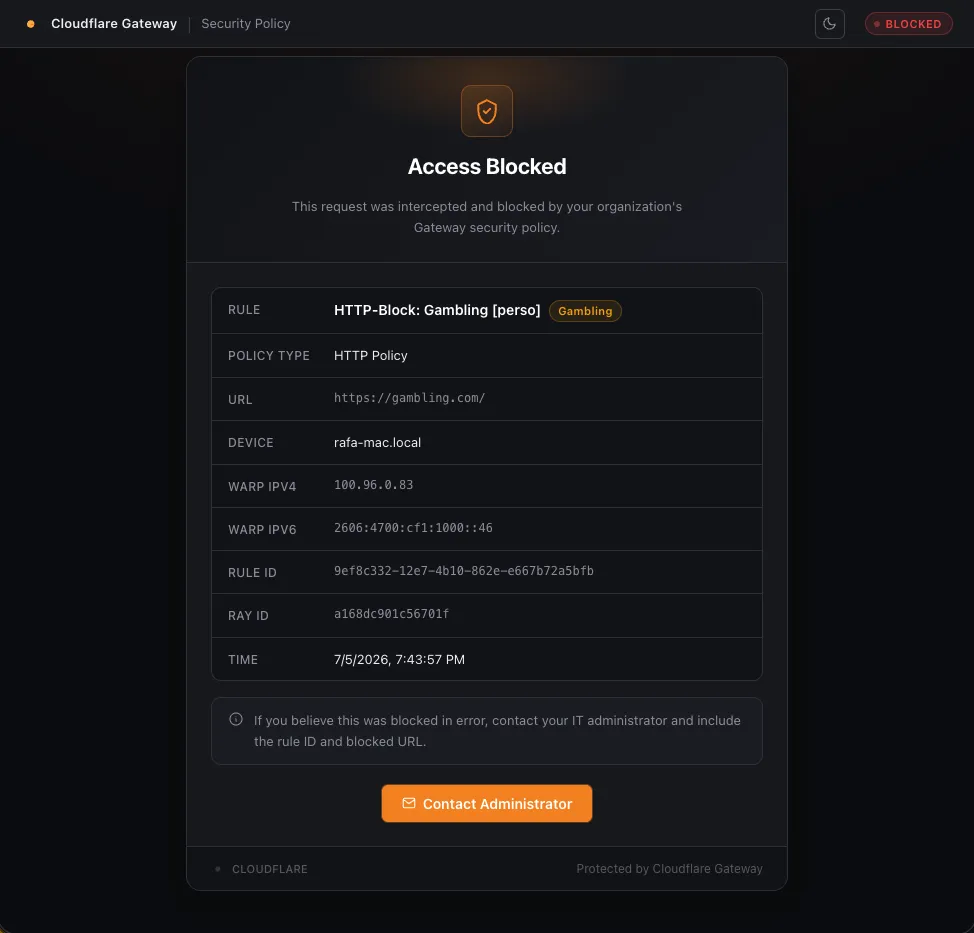
I built a custom Cloudflare Gateway block page with a Worker so the block itself could carry useful diagnostic context.
Use the context Gateway already provides
When Gateway sends a user to a custom block page, it can include query-string context about the blocked request.
The Worker accepts the fields it needs, including values such as:
cf_rule_id
cf_site_uri
cf_request_category_names
cf_user_email
cf_filter
cf_device_id
cf_ray_id
The exact set present depends on the policy and request type, so the implementation treats most of them as optional.
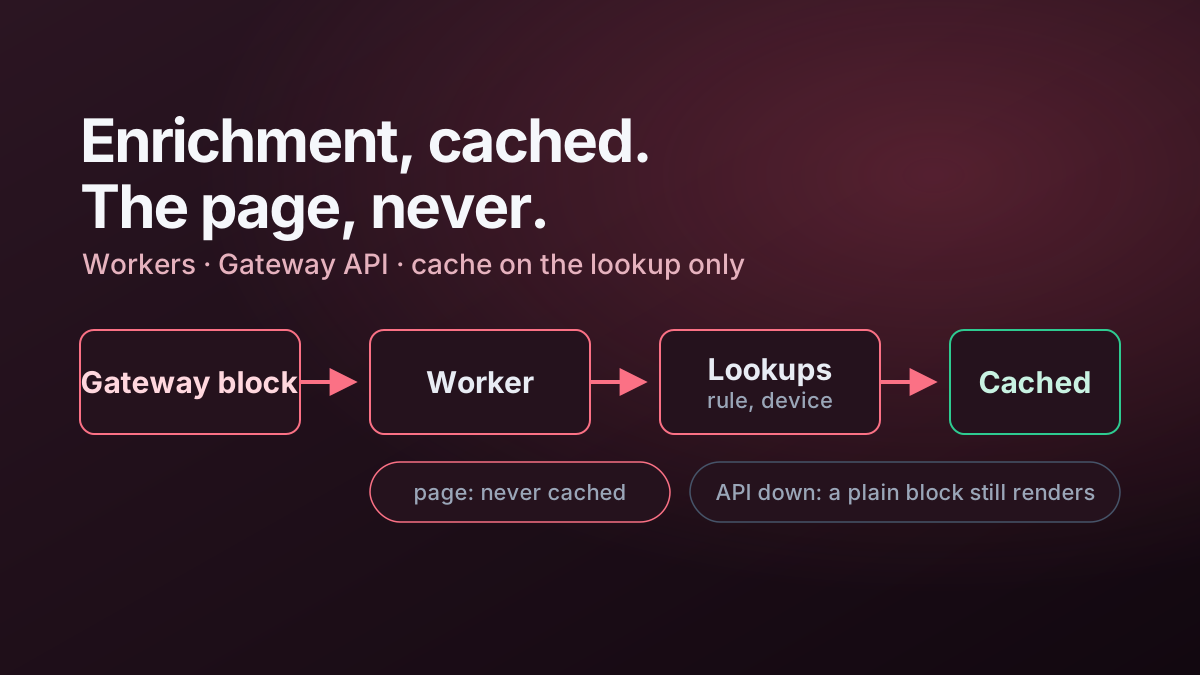
That context is the starting point. The Worker then enriches identifiers that are not meaningful to a user on their own.
Resolve the rule ID into a useful name
A UUID is useful for an API, but not for a support conversation.
If Gateway supplies a rule ID, the Worker queries the Gateway rules API and resolves it to the configured rule name.
Conceptually:
const url = `https://api.cloudflare.com/client/v4/accounts/${accountId}/gateway/rules/${ruleId}`;

const response = await fetch(url, {
  headers: {
    Authorization: `Bearer ${apiToken}`
  }
});
The page can then show something like:
Policy: Block Newly Registered Domains
Category: Newly Seen Domains
User: user@example.com
instead of:
Rule: 8f0d...c21aThat small translation makes the block page much more useful.
Enrich device context as well
The same principle applies to device identifiers.
If Gateway supplies a device ID, the Worker can retrieve the device name and current Cloudflare One Client registration details.
I use that to show:
- device name;
- Cloudflare One Client virtual IPv4 address;
- Cloudflare One Client virtual IPv6 address.
Those values can be correlated with Gateway logs and private-network routing without asking the user to open another diagnostic tool.
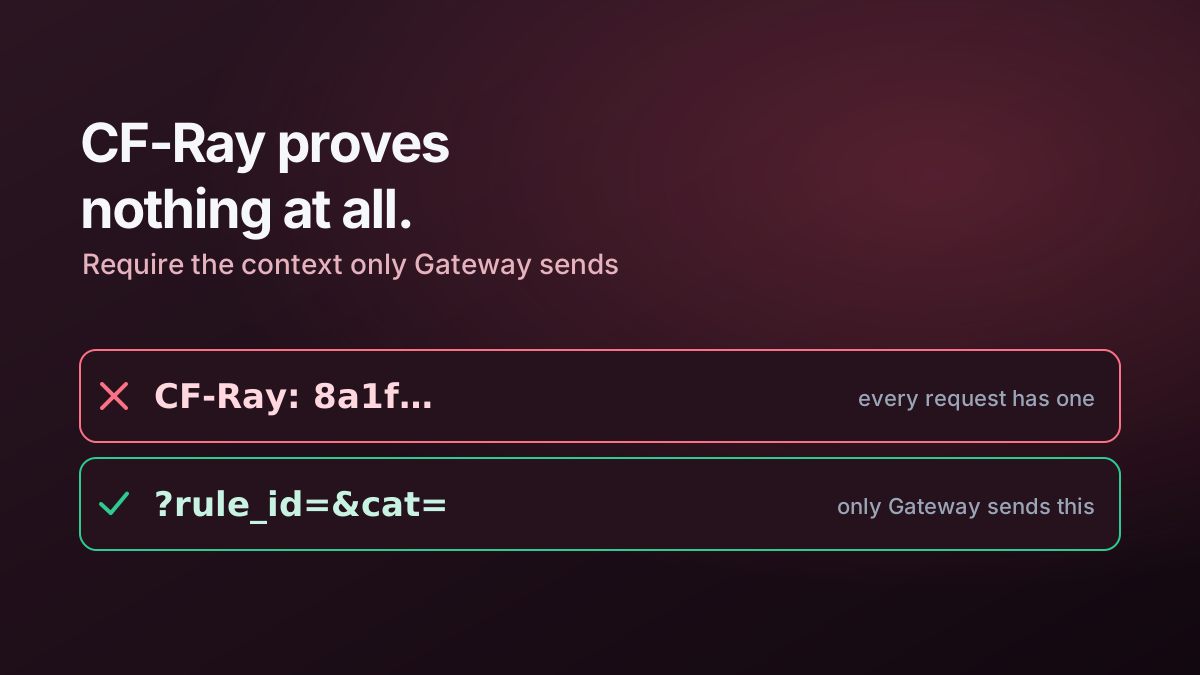
Do not trust a direct request to look like a Gateway block
A public Worker URL should not render the full block page simply because someone visited it directly.
The Worker therefore checks for actual Gateway query parameters before rendering the diagnostic experience.
A useful distinction is that a generic Cloudflare header such as CF-Ray is not sufficient evidence by itself because it is present on normal requests through Cloudflare too.
The implementation requires at least one Gateway-specific query parameter.
If that context is missing, it returns a simple 403 response.
That does not make the query parameters secret. It simply prevents the public Worker URL from behaving like a normal information endpoint with no block context at all.
Cache enrichment, not the personalised page
Rule names and device names are good cache candidates because they change far less frequently than requests arrive.
The final HTML response is not.
My split is:
Rule/device lookup   → short-lived cache
WARP registration    → short-lived cache
Rendered user page   → no-store
The page sends:
Cache-Control: no-storewhile the Worker can still reduce API pressure by caching selected enrichment results internally.
This is an important pattern for edge applications: cache reference data, not personalised security decisions.
API failure should degrade gracefully
If the rule lookup fails, the Worker still has the rule ID.
If the device lookup fails, it still has the remaining Gateway context.
A resilient fallback might be:
Rule 8f0d...c21arather than failing the whole page.
The implementation also uses bounded retries for Cloudflare API lookups. Retries help with transient failures, but they should not make a simple block page wait indefinitely.
A good retry policy therefore needs:
- a small maximum attempt count;
- backoff between attempts;
- a safe fallback value;
- no change to the underlying block decision.
Use a restrictive Content Security Policy
Custom HTML introduces the usual browser-side security considerations.
The Worker generates a nonce per response and applies it to the inline style/script content that the page genuinely needs.
The response can then use a restrictive policy similar to:
default-src 'none';
style-src 'nonce-...';
script-src 'nonce-...';
img-src 'self' data:;
base-uri 'none';
form-action 'none';
frame-ancestors 'none';
The important design choice is avoiding a broad unsafe-inline policy simply because the page is generated dynamically. The exact formatting matters much less.
I also send headers such as:
X-Frame-Options: DENY
X-Content-Type-Options: nosniff
Referrer-Policy: no-referrer
and avoid caching the personalised page.
A JSON representation is useful too
The Worker can return JSON when the client explicitly asks for it with an appropriate Accept header.
That makes the same enrichment logic reusable for troubleshooting tools and automated checks.
A response can contain fields such as:
{
  "blocked": true,
  "rule_name": "Block Newly Registered Domains",
  "blocked_url": "https://example.invalid/",
  "category": "Newly Seen Domains",
  "filter_type": "http",
  "device_name": "LAPTOP-01"
}
Where JSON is exposed cross-origin, CORS should be allow-listed rather than using a wildcard by default.
Keep the block page focused
It is tempting to turn a block page into a complete troubleshooting portal.
I deliberately avoid that.
The page should provide enough context to answer:
- What was blocked?
- Which policy blocked it?
- Which user and device were involved?
- What identifier can support use to correlate the event?
- What should the user do next?
Anything beyond that belongs in the administration or observability tooling.
The operational benefit
A better block page reduces ambiguity at the point where a user experiences policy enforcement.
Instead of reporting “the internet is broken”, the user can report a specific rule, category and device context. Support can then move directly to the correct policy or event log.
That is a small implementation, but it illustrates a wider design principle: security controls should produce actionable evidence when they fire.
Related implementation
The complete Worker is documented in Cloudflare Gateway Custom Block Page.
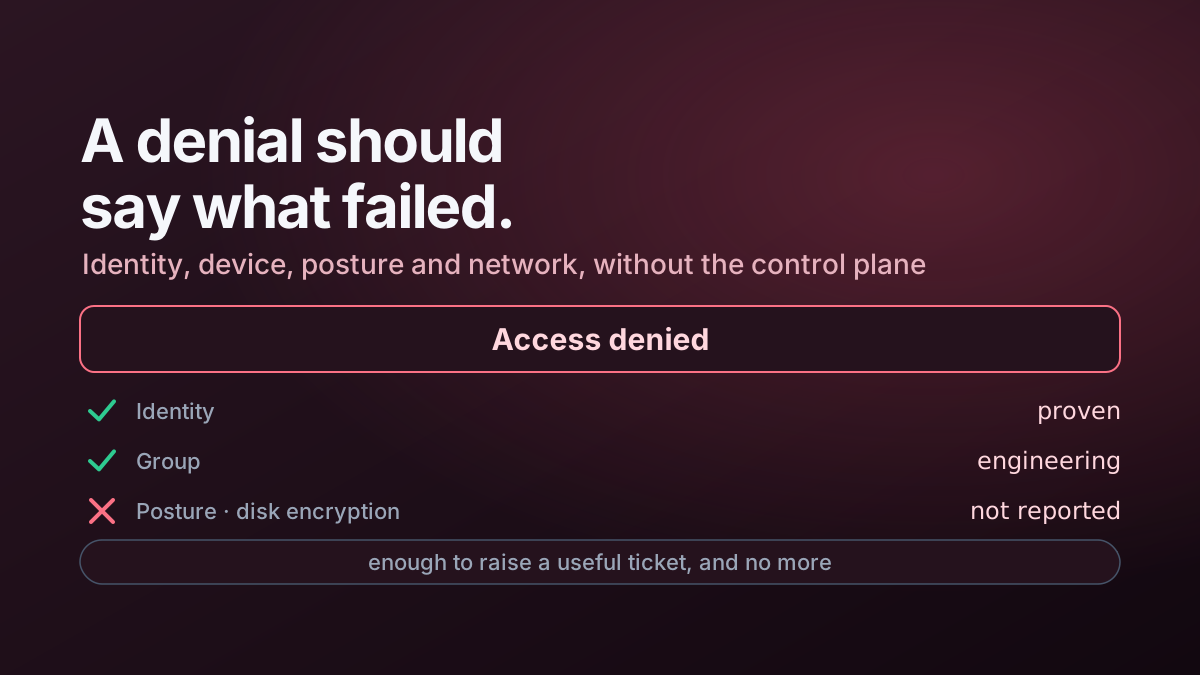
The same operability idea applied to Access is covered in Making Cloudflare Access Denials Actually Useful.