Testing an application change in a branch is normal. Testing a change to the pipeline itself is different.
A CI/CD file can publish packages, create tags, call deployment APIs, rotate credentials or run scheduled production workloads. Copying a repository and pressing Run pipeline is not automatically safe.
While standardising a group of GitLab repositories, I built a disposable sandbox group where each pipeline change could run before the verified file diff was proposed back to the source repository.
The goal was simple:
Use real GitLab pipelines as the test, while making it difficult for those pipelines to affect production.
The examples below use fictional paths and variable names. The real workflow was applied to a private GitLab estate and has been sanitised for publication.
Why a normal branch was not enough
A feature branch in the original repository would still inherit the original project’s settings and variables. Depending on the pipeline rules, it might also:
- publish a development artifact to a real package registry;
- expose protected variables when the branch is protected;
- interact with production APIs;
- create release tags in the source repository;
- offer manual deployment jobs to an operator;
- run a scheduled workload if a schedule was recreated or reused incorrectly.
I wanted the originals to stay read-only until a change had been verified elsewhere.
The sandbox therefore used a separate GitLab group with separate projects. The source repositories remained the source of truth, but their pipelines could be reconstructed and exercised in isolation.
The four-phase workflow
I divided the process into four phases.
Phase 1: build the sandbox
- enumerate the source group and write a manifest;
- recreate the required subgroup tree;
- create empty target projects with CI disabled;
- mirror repository refs into each target;
- recreate protected branches;
- copy only approved CI/CD variables;
- assert that no schedules or production mirrors exist.
Phase 2: make and verify changes
- select one repository from the manifest;
- clone the sandbox copy;
- apply a deterministic change;
- push only to the sandbox default branch;
- watch the pipeline;
- download failed and release-job traces;
- record a semantic verdict in the manifest.
Phase 3: backport verified files
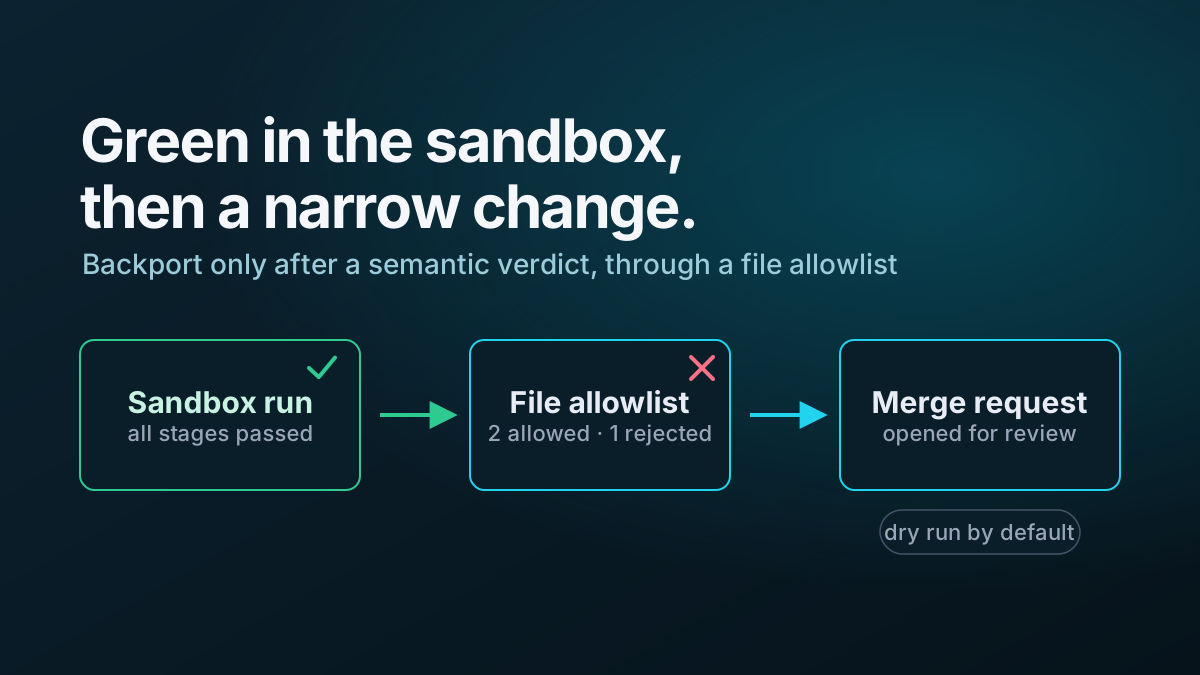
- compare the verified sandbox files with the live source branch;
- reject sandbox-only changes;
- show the exact diff by default;
- create a source branch and merge request only after explicit confirmation.
Phase 4: remove the sandbox
Once the source merge requests are complete, remove copied variables and delete the disposable group.
That lifecycle prevents the test environment from becoming a second, forgotten production estate.
Make the manifest the control plane
The first script was read-only. It enumerated the source group and wrote migration-manifest.json.
The manifest held project metadata and process state, but never secret values.
{
  "generated_at": "2026-08-14T08:00:00+01:00",
  "source_group": "platform/automation",
  "sandbox_group": "platform/ci-sandbox",
  "scope": "CiRepos",
  "projects": [
    {
      "id": 101,
      "path_with_namespace": "platform/automation/example-api",
      "rel_path": "example-api",
      "default_branch": "main",
      "visibility": "private",
      "archived": false,
      "in_scope": true,
      "protected_branches": [
        {
          "name": "main",
          "allow_force_push": false
        }
      ],
      "variable_keys": [
        {
          "key": "READ_ONLY_PACKAGE_TOKEN",
          "variable_type": "env_var",
          "protected": true,
          "masked": true,
          "raw": false,
          "environment_scope": "*"
        }
      ],
      "source_schedules": [],
      "status": null,
      "sandbox": null
    }
  ]
}
Every later script read and updated the same file. That delivered three practical benefits.
It made the process resumable
A script could stop after three repositories and continue later without rediscovering or guessing what had already happened.
It separated inventory from secrets
The manifest recorded variable keys and attributes, but not their values. Secret values were read only when a copy operation needed them and were kept out of files and logs.
It made state explicit
A repository progressed through named states such as:
pinned
component-migrated
verified-green
backported
That was more reliable than using local directories or merge-request existence as an implicit task tracker.
Recreate only the subgroup tree you need
A source group may contain repositories that are outside the migration scope. Recreating the complete group tree can also copy high-risk automation that should never run in the sandbox.
I calculated the subgroup paths required by the in-scope repositories and created only those parents.
For example, these repositories:
platform/automation/components/python
platform/automation/components/release
platform/automation/services/example-api
require these sandbox groups:
platform/ci-sandbox/components
platform/ci-sandbox/services
The group creation script was idempotent: existing groups were reused and missing groups were created.
Create projects with CI disabled
The target project was created before any repository content was pushed. Its CI feature was disabled initially.
That order mattered because the mirrored default branch already contained .gitlab-ci.yml. I did not want the first push to become the first uncontrolled pipeline.
The project could be configured through the Projects API or updated immediately after creation. The important outcome was:
repository present
pipeline configuration present
CI inert
CI was enabled only after variable policy, branch protection and schedule checks had passed.
Preserve all refs needed by release automation
A normal working clone usually brings branches and tags, but a repository migration should be explicit about refs.
I used a mirror clone and mirror push:
$mirrorDirectory = Join-Path $workDirectory 'example-api.git'

git clone --mirror $sourceUrl $mirrorDirectory

if ($LASTEXITCODE -ne 0) {
    throw 'Mirror clone failed.'
}

git -C $mirrorDirectory push --mirror $targetUrl

if ($LASTEXITCODE -ne 0) {
    throw 'Mirror push failed.'
}
A mirror maps all refs, not only the checked-out branch. That was important because semantic-release examines Git tags to identify the previous release.
Without those tags, the sandbox could compute a version that production would never compute. A green test based on incomplete history would be false confidence.
Because --mirror can overwrite and delete refs, I restricted it to new, empty sandbox projects.
Reset authenticated remotes after cloning
For non-mirror working clones, an HTTPS token can end up in .git/config when it is embedded in the clone URL.
The update script removed that credential-bearing remote immediately after cloning:
$authenticatedUrl = "https://oauth2:$Token@$GitLabHost/$TargetPath.git"
$cleanUrl = "https://$GitLabHost/$TargetPath.git"

git clone --branch $defaultBranch $authenticatedUrl $workingDirectory

if ($LASTEXITCODE -ne 0) {
    throw 'Clone failed.'
}

git -C $workingDirectory remote set-url origin $cleanUrl
When command output was captured, the token was also replaced before anything was printed:
$sanitisedOutput = $output -replace [regex]::Escape($Token), '***'The token still existed in process memory while Git used it, but it was not left in the repository configuration or console transcript.
Protected branches are part of the pipeline environment
Copying CI/CD variables without copying branch protection can produce misleading failures.
GitLab protected variables are available only to pipelines on protected branches or protected tags. If main is protected in the source but unprotected in the sandbox, the same pipeline can lose required variables even though the variables themselves were copied correctly.
I therefore inventoried protected branches and recreated the relevant protection settings before the first pipeline.
This is a useful general lesson: repository code is only part of a CI/CD system. Project settings are configuration too.
Use a default-deny variable policy
Blindly copying every group and project variable would have made the sandbox operationally dangerous.
I separated variables into three classes.
Approved build variables
Examples include read-only dependency credentials, package index configuration and internal certificate settings needed to install dependencies or build an artifact.
Explicitly denied variables
Examples include deployment tokens, password-rotation credentials, production API keys, write-capable package credentials and infrastructure-management tokens.
Unclassified variables
Anything not matched by the allowlist or denylist was refused and printed for manual review.
The default was deny.
A simplified policy function looked like this:
function Test-VariableAllowed {
    [CmdletBinding()]
    param(
        [Parameter(Mandatory)]
        [string]$Key
    )

    $denyPatterns = @(
        '^DEPLOY_',
        '^PRODUCTION_',
        'PASSWORD',
        'ROTATION',
        'ADMIN_TOKEN$'
    )

    $allowPatterns = @(
        '^READ_ONLY_',
        '^PACKAGE_INDEX_',
        '^CA_BUNDLE$'
    )

    foreach ($pattern in $denyPatterns) {
        if ($Key -match $pattern) {
            return [pscustomobject]@{
                Allowed = $false
                Reason = "denied by $pattern"
            }
        }
    }

    foreach ($pattern in $allowPatterns) {
        if ($Key -match $pattern) {
            return [pscustomobject]@{
                Allowed = $true
                Reason = "allowed by $pattern"
            }
        }
    }

    return [pscustomobject]@{
        Allowed = $false
        Reason = 'not on allowlist'
    }
}
When a variable was copied, the script preserved:
variable_type
environment_scope
protected
masked
raw
File-type variables were especially important. Recreating a file variable as a normal environment variable changes how the job receives it and can break the pipeline.
Do not copy schedules
A repository mirror copies Git refs. It does not need pipeline schedules to test ordinary push or manually triggered pipelines.
Schedules were therefore inventoried but never recreated.
The safety script queried every sandbox project and failed if it found any schedule, active or inactive.
$schedules = Invoke-RestMethod `
    -Uri "$GitLabUrl/api/v4/projects/$ProjectId/pipeline_schedules" `
    -Headers $Headers `
    -Method Get

if (@($schedules).Count -gt 0) {
    throw "Sandbox project $ProjectPath contains a pipeline schedule."
}
An inactive schedule is still configuration that can later be activated. The correct sandbox count was zero.
Exclude repositories that cannot be made safe by variables alone
Some automation repositories should not be mirrored into the test group at all.
Examples include repositories whose normal pipeline manages GitLab groups, rotates tokens, updates organisation-wide settings or operates against production through inherited credentials that cannot be withheld.
The sandbox configuration therefore contained an explicit exclusion map with a reason for each repository.
$excludedRepositories = @{
    'platform-housekeeping' = 'Manages group settings with a write-capable token.'
    'token-rotation' = 'Rotates production credentials.'
}
The safety script checked the live sandbox and failed if an excluded project was present.
Inherited variables need special attention
Project and subgroup policies cannot always suppress variables inherited from an ancestor group.
The manifest recorded inherited variable keys and the safety report printed them prominently. Where an inherited token had write access, the safe response was to exclude jobs or repositories that could use it, since convention alone was not enough.
This was one reason the sandbox did not mirror group-housekeeping automation.
Assert there is no route back to production
A sandbox repository must not have a push mirror pointing at the source group.
The safety script queried remote mirrors and rejected any URL containing the source namespace.
$remoteMirrors = Invoke-RestMethod `
    -Uri "$GitLabUrl/api/v4/projects/$ProjectId/remote_mirrors" `
    -Headers $Headers `
    -Method Get

foreach ($mirror in $remoteMirrors) {
    if ($mirror.url -like "*$SourceGroup*") {
        throw "$ProjectPath mirrors back to the source group."
    }
}
The source repositories were modified only in the later backport phase through normal merge requests.
Turn the guardrails into a gate
Before enabling CI, one command performed a live read-only safety check.
.\Test-GitLabSandboxSafety.ps1 `
    -ManifestFile '.\migration-manifest.json'

if ($LASTEXITCODE -ne 0) {
    throw 'Sandbox safety checks failed.'
}
The test covered:
- zero schedules;
- zero denied variables;
- excluded repositories absent;
- no mirrors back to production;
- inherited-variable warnings;
- CI enablement state for every project.
The safety script exited non-zero on any failed assertion. It was a gate, not a report that someone had to remember to read carefully.
Enable one repository at a time
After the sandbox passed its global checks, CI was enabled selectively.
The first pilot used a small set of representative repositories:
- a simple package repository;
- a repository with the known broken release job;
- the project template.
That pilot tested the scripts themselves before the full scope was mirrored and enabled.
The sequence was:
.\New-GitLabSandboxManifest.ps1
.\New-GitLabSandboxGroup.ps1
.\Copy-GitLabSandboxRepositories.ps1 -DryRun
.\Copy-GitLabSandboxRepositories.ps1
.\Copy-GitLabSandboxVariables.ps1 -Only 'example-api'
.\Test-GitLabSandboxSafety.ps1
.\Enable-GitLabSandboxCi.ps1 -Only 'example-api'
.\Invoke-GitLabSandboxPipeline.ps1 -Repo 'example-api'
The names here are illustrative, but the ordering is important. CI is enabled late and execution happens last.
Neutralise publish and deploy paths separately
Removing schedules does not stop push pipelines from publishing packages or creating releases.
For each pipeline family I identified the side effects independently:
- snapshot publishing;
- production package publishing;
- semantic-release tags and commits;
- manual deployment jobs;
- scheduled application workloads.
The sandbox could safely test semantic-release because its repository URL pointed to the sandbox project. Package publishing required a separate decision: use a disposable registry, redirect all publishes to a snapshot repository, or withhold write credentials so publishing could not occur.
Manual deployment jobs were never selected. For especially sensitive repositories, deployment stages were removed from the sandbox copy with a clear SANDBOX ONLY marker that the backport script later refused to transfer.
That final refusal is important. A sandbox accommodation should not be able to leak into production through an automated copy step.
Teardown is part of the design
A sandbox with copied CI/CD variables becomes riskier over time as people forget why it exists.
The completion plan therefore included:
- confirm backport merge requests are merged;
- verify source pipelines;
- remove copied project and group variables;
- delete the sandbox group;
- retain only the sanitised audit outputs and migration record required for the engineering history.
A disposable environment should have a disposal procedure before it is created.
What made the approach work
The safety came from layers rather than one control:
- separate namespace;
- CI disabled by default;
- no schedules;
- default-deny variables;
- protected branch reconstruction;
- explicit exclusions;
- source-path refusal checks;
- no production remote mirrors;
- manual enablement;
- narrow backports;
- planned teardown.
Any individual control can fail. Several independent controls make an accidental production action much less likely.
The next article covers the target architecture: From copy-pasted pipelines to versioned GitLab CI components.
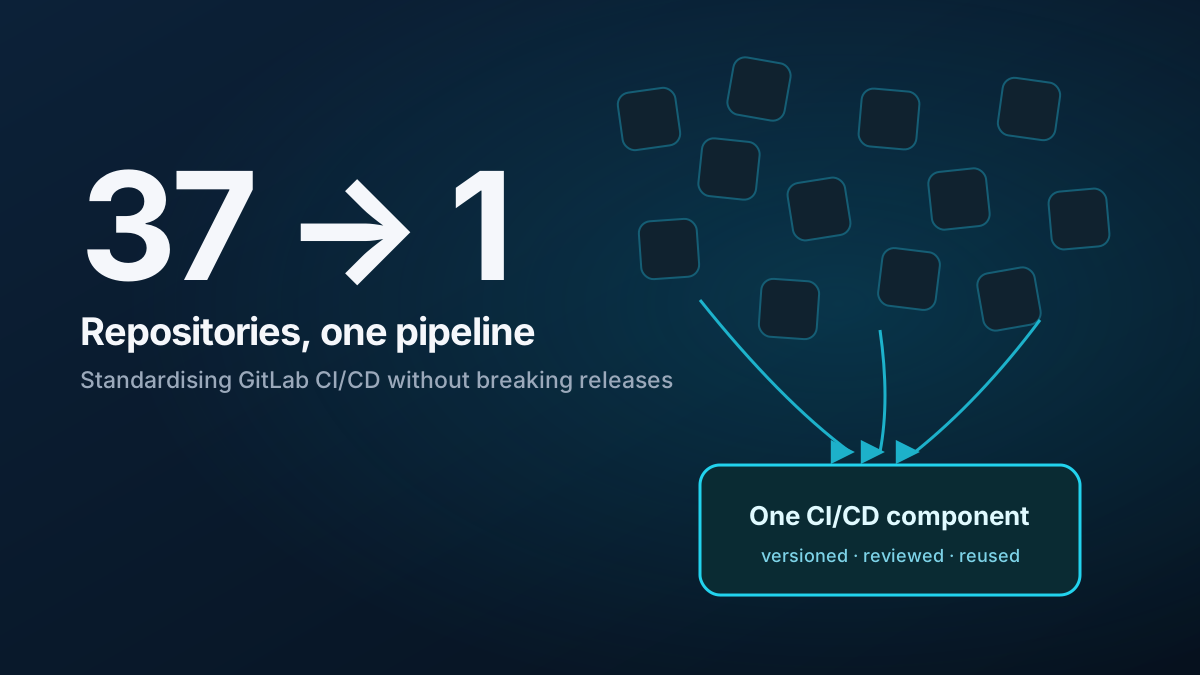
The full case study is in How I standardised CI/CD across 37 GitLab repositories.