Once a pipeline change has passed in a sandbox, the tempting next step is to copy it automatically into every source repository.
That is also the point where a safe test framework can become an unsafe bulk-change system.
A repository might have changed since it was copied. A sandbox-only safeguard might accidentally be transferred into production. A successful build might hide a failed release decision. A bulk script can also open dozens of merge requests and lose track of which ones were actually created if its state is only saved at the end.
I therefore designed the backport stage around one rule:
Automation may prepare and propose a verified change, but it must not assume that the sandbox is still identical to the live repository.
The result was a dry-run-first PowerShell workflow that compared live files, enforced a narrow allowlist, validated the pipeline outcome and opened one ordinary merge request per repository.
Project names, hostnames and branch names in this article are fictional. The workflow is based on a real private GitLab estate.
Backport only after a semantic verdict
A green pipeline status is useful but incomplete.
For a release pipeline I wanted to know:
- did validation and tests pass?
- did the package build succeed?
- did semantic-release make the expected release or no-release decision?
- was package publication attempted only in the intended context?
- did any allowed failure hide a broken security or quality job?
- were sandbox safety jobs responsible for suppressing a production side effect?
The pipeline watcher therefore stored a semantic verdict in the migration manifest rather than only the GitLab status:
{
  "sourceProjectId": 1842,
  "sourcePath": "platform/example-package",
  "sandboxProjectId": 9271,
  "sandboxPath": "ci-sandbox/platform/example-package",
  "defaultBranch": "main",
  "pipelineId": 551203,
  "pipelineStatus": "success",
  "releaseVerdict": "no-release-expected",
  "migrationStatus": "verified-green",
  "verifiedAt": "2026-08-14T10:42:18Z"
}
Valid verdicts can be tailored to the workflow, for example:
release-created;no-release-expected;release-failed;verification-failed;manual-review-required.
The backport script refused to run unless migrationStatus was verified-green and the release verdict was one of the expected outcomes for that test.
Compare against the live source branch
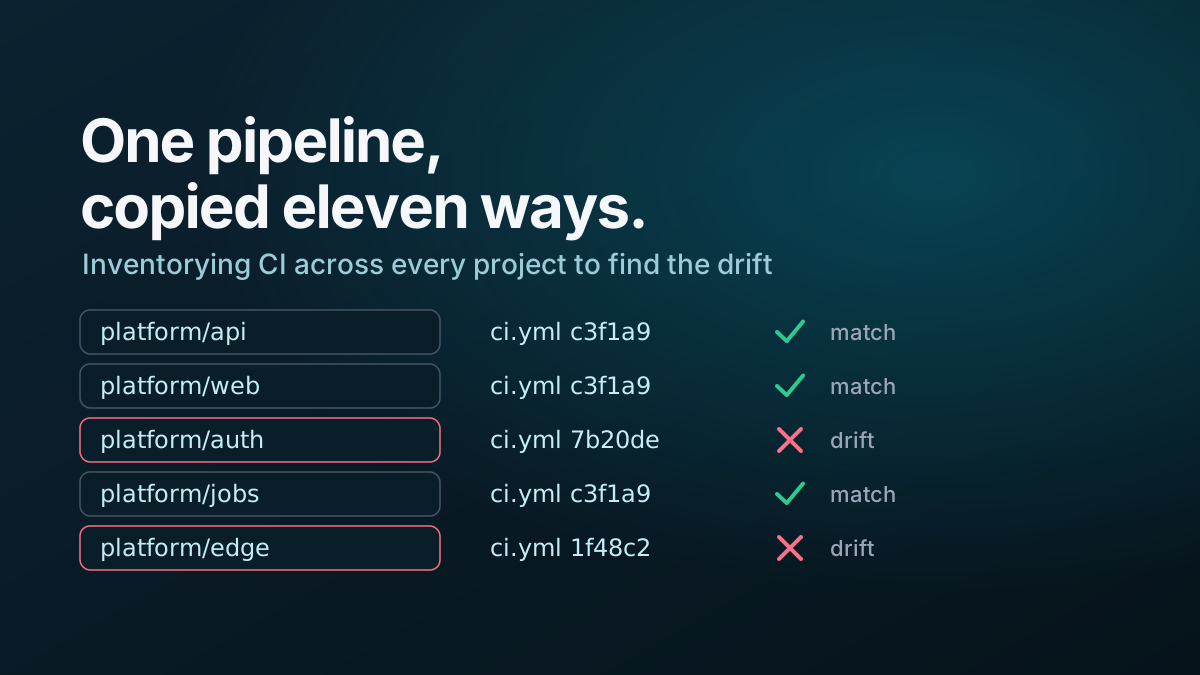
The initial audit and sandbox manifest are snapshots. They are useful for planning, but they are not authoritative when creating a merge request.
Before preparing a branch, fetch the current source files from the live default branch:
function Get-GitLabRawFile {
    [CmdletBinding()]
    param(
        [Parameter(Mandatory)]
        [string]$GitLabUrl,

        [Parameter(Mandatory)]
        [int]$ProjectId,

        [Parameter(Mandatory)]
        [string]$FilePath,

        [Parameter(Mandatory)]
        [string]$Ref,

        [Parameter(Mandatory)]
        [hashtable]$Headers
    )

    $encodedPath = [uri]::EscapeDataString($FilePath)
    $encodedRef = [uri]::EscapeDataString($Ref)
    $uri = "$GitLabUrl/api/v4/projects/$ProjectId/repository/files/$encodedPath/raw?ref=$encodedRef"

    Invoke-RestMethod -Method Get -Uri $uri -Headers $Headers
}
Then compare three versions:
- the live source file;
- the original file captured when the sandbox was created;
- the verified sandbox file.
This reveals two independent changes:
original -> sandbox: the migration being proposed;original -> live: changes made by repository owners since the sandbox copy.
When the live source no longer matches the captured original, the script stops and reports a conflict instead of overwriting it.
if ($liveCi -cne $capturedOriginalCi) {
    throw "The live .gitlab-ci.yml changed after sandbox creation. Rebase and reverify before backporting."
}
This is stricter than trying to merge YAML automatically, but it makes the provenance of the verified result clear.
Use a file allowlist
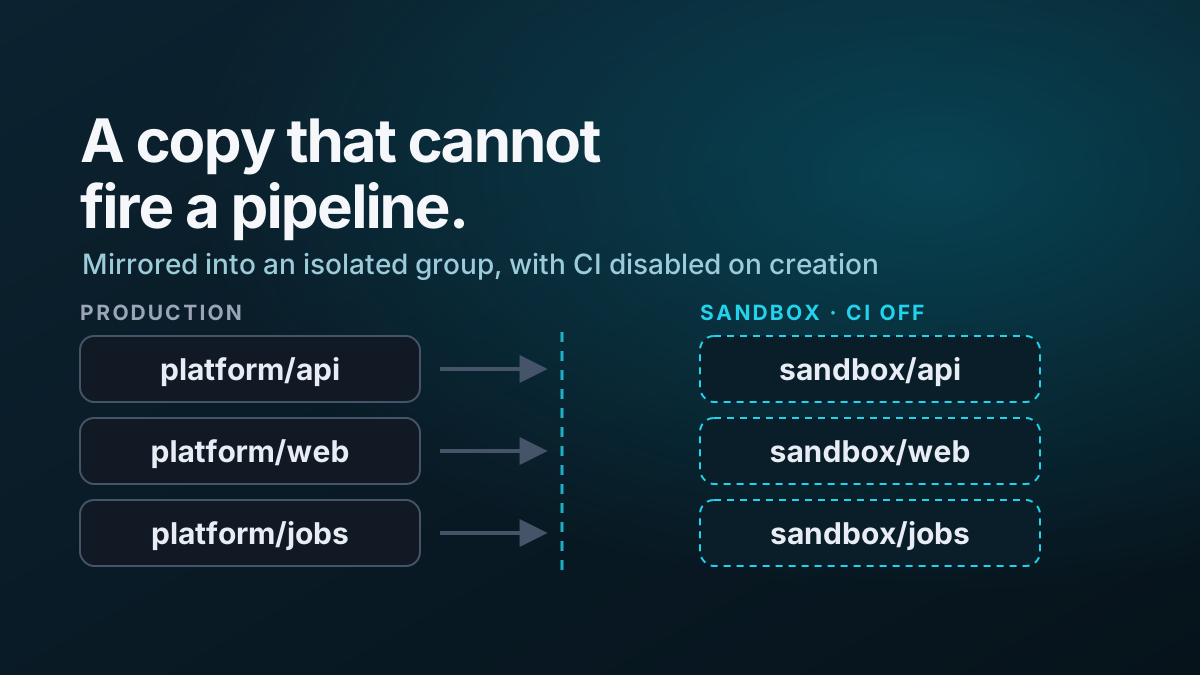
The sandbox repository contained operational changes that must never reach the source repository, including disabled publish commands and explicit sandbox markers.
The backport allowed only the files that represented the intended production change:
$AllowedFiles = @(
    '.gitlab-ci.yml',
    '.releaserc.json'
)
Before continuing, enumerate the changed paths between the source snapshot and sandbox commit:
$changedFiles = @(
    git -C $SandboxClone diff --name-only $OriginalCommit $VerifiedCommit
)

$unexpectedFiles = @(
    $changedFiles | Where-Object { $_ -notin $AllowedFiles }
)

if ($unexpectedFiles.Count -gt 0) {
    throw "Unexpected files in verified change: $($unexpectedFiles -join ', ')"
}
The allowlist keeps the automation aligned with the change being reviewed. Application code, dependency files and generated artifacts cannot be included accidentally.
Reject sandbox-only content
An allowlisted file can still contain sandbox-specific protections. I added explicit content checks before producing the backport:
$ForbiddenPatterns = @(
    'SANDBOX ONLY',
    'ci-sandbox/',
    'PUBLISH_DISABLED',
    'DEPLOY_DISABLED',
    'allow_failure:\s*true'
)

foreach ($path in $AllowedFiles) {
    $content = Get-Content -LiteralPath (Join-Path $SandboxClone $path) -Raw

    foreach ($pattern in $ForbiddenPatterns) {
        if ($content -match $pattern) {
            throw "Forbidden sandbox pattern '$pattern' found in $path"
        }
    }
}
The allow_failure rule was deliberately conservative. Adding it can turn a red pipeline green without fixing the underlying job. A repository that already used it could be assessed separately, but the migration was not allowed to introduce a new one silently.
For more complex migrations, parse the YAML rather than relying only on regular expressions. The principle remains the same: define properties that are legal in the sandbox but illegal in a production backport.
Make dry-run the default
The script’s default mode generated evidence without changing GitLab:
- source and sandbox project paths;
- verified pipeline and job URLs;
- semantic release verdict;
- current source commit;
- verified sandbox commit;
- changed file list;
- unified diffs;
- proposed branch name;
- proposed commit message;
- proposed merge request title and description.
A simplified control block looked like this:
[CmdletBinding(SupportsShouldProcess, ConfirmImpact = 'High')]
param(
    [Parameter(Mandatory)]
    [string]$ManifestPath,

    [Parameter(Mandatory)]
    [int]$SourceProjectId,

    [switch]$Apply
)

if (-not $Apply) {
    Write-Host 'Dry run complete. No branch or merge request was created.'
    return
}

if (-not $PSCmdlet.ShouldProcess(
    "GitLab project $SourceProjectId",
    'Create verified backport branch and merge request'
)) {
    return
}
This made the safe path the easy path. An operator had to request the write explicitly and could use PowerShell’s normal -WhatIf and confirmation behaviour around the high-impact operation.
Create a branch from the current source default branch
The branch must start from the live source commit, not from the sandbox history.
One robust implementation uses a temporary clone of the source repository:
$branchName = "ci/standardise-release-pipeline-$($entry.sourceProjectId)"
$workDir = Join-Path $env:TEMP "gitlab-backport-$($entry.sourceProjectId)"

if (Test-Path -LiteralPath $workDir) {
    Remove-Item -LiteralPath $workDir -Recurse -Force
}

git clone --branch $entry.defaultBranch --single-branch $entry.sourceHttpUrl $workDir
if ($LASTEXITCODE -ne 0) {
    throw "Source clone failed for $($entry.sourcePath)"
}

git -C $workDir switch -c $branchName
if ($LASTEXITCODE -ne 0) {
    throw "Could not create branch $branchName"
}
Copy only the verified allowlisted files into that clone:
foreach ($path in $AllowedFiles) {
    $sourcePath = Join-Path $SandboxClone $path
    $targetPath = Join-Path $workDir $path

    $targetDirectory = Split-Path -Parent $targetPath
    if ($targetDirectory) {
        New-Item -ItemType Directory -Path $targetDirectory -Force | Out-Null
    }

    Copy-Item -LiteralPath $sourcePath -Destination $targetPath -Force
}
Then confirm the local diff still matches the reviewed dry-run output before committing.
$actualFiles = @(git -C $workDir diff --name-only)

if (Compare-Object $AllowedFiles $actualFiles) {
    throw "The local backport contains an unexpected file set."
}

git -C $workDir diff --check
if ($LASTEXITCODE -ne 0) {
    throw 'Git found whitespace or conflict-marker errors in the proposed change.'
}
Push without bypassing repository review
The automation created a branch and merge request. It did not merge the change.
git -C $workDir add -- $AllowedFiles
git -C $workDir commit -m 'ci: standardise release pipeline'

if ($LASTEXITCODE -ne 0) {
    throw 'Commit failed.'
}

git -C $workDir push --set-upstream origin $branchName
if ($LASTEXITCODE -ne 0) {
    throw 'Push failed.'
}
The merge request description carried the verification evidence:
$description = @"
## Summary

Backports the CI/CD configuration verified in the isolated sandbox.

## Verification

- Sandbox project: `$($entry.sandboxPath)`
- Pipeline: $($entry.pipelineWebUrl)
- Pipeline status: `$($entry.pipelineStatus)`
- Release verdict: `$($entry.releaseVerdict)`
- Verified commit: `$($entry.verifiedCommit)`

## Scope

Only `.gitlab-ci.yml` and `.releaserc.json` are changed.

## Safety checks

- Live source matched the captured original before branch creation.
- No sandbox markers or disabled-production placeholders were copied.
- No new `allow_failure: true` setting was introduced.
"@
Create the merge request through the GitLab API:
$body = @{
    source_branch = $branchName
    target_branch = $entry.defaultBranch
    title = 'ci: standardise release pipeline'
    description = $description
    remove_source_branch = $true
    squash = $false
}

$uri = "$GitLabUrl/api/v4/projects/$($entry.sourceProjectId)/merge_requests"
$mergeRequest = Invoke-RestMethod `
    -Method Post `
    -Uri $uri `
    -Headers $Headers `
    -Body $body
Normal approvals, protected-branch rules, code-owner review and source-project pipelines still apply. The automation supplies evidence; it does not replace governance.
Persist state immediately
A multi-repository process is vulnerable to partial failure. The script might create nine merge requests and fail on the tenth because of a network problem or malformed response.
Saving the manifest only at the end would lose the first nine results and make a rerun unsafe.
Update and persist the entry immediately after each external write:
$entry.migrationStatus = 'backported'
$entry.backportBranch = $branchName
$entry.mergeRequestIid = $mergeRequest.iid
$entry.mergeRequestUrl = $mergeRequest.web_url
$entry.backportedAt = (Get-Date).ToUniversalTime().ToString('o')

$manifest | ConvertTo-Json -Depth 20 |
    Set-Content -LiteralPath $ManifestPath -Encoding utf8
In this workflow, backported meant that a merge request had been opened. It did not mean that the change had been reviewed or merged. Using precise state names avoids optimistic reporting.
A fuller state machine was:
inventoried
  -> sandboxed
  -> pipeline-running
  -> verification-failed | verified-green
  -> backport-ready
  -> backported
  -> merged | rejected | superseded
Each transition recorded the relevant commit, pipeline, job or merge request identifier.
Make reruns idempotent
Before creating anything, search for an existing branch or open merge request associated with the manifest entry.
A deterministic branch name helps:
$branchName = "ci/standardise-release-pipeline-$($entry.sourceProjectId)"Then treat existing state deliberately:
- branch absent and MR absent: create both;
- branch present and MR open: report the existing MR and stop;
- branch present and MR absent: inspect before creating an MR;
- MR merged: mark the manifest entry
merged; - MR closed: require an explicit decision before reopening or replacing it;
- live source changed: invalidate verification and return to the sandbox stage.
Idempotence requires that a rerun cannot produce a different governance outcome accidentally, which is a stronger guarantee than avoiding duplicate API calls.
Download traces when verification is ambiguous
During the migration, some failures were initially attributed to the proposed CI change because an older audit had classified a repository as vulnerable.
The current job trace showed that the scanner’s vulnerability database had changed since the audit. The baseline itself was stale.
For failed or allowed-to-fail jobs, the watcher downloaded the full trace and retained metadata such as:
{
  "jobId": 8842103,
  "name": "dependency-scan",
  "stage": "test",
  "status": "failed",
  "allowFailure": true,
  "tracePath": "logs/1842/551203/dependency-scan.txt"
}
This distinction matters during a backport:
- a failure caused by the proposed pipeline change invalidates verification;
- an unchanged, pre-existing failure may require a separate remediation;
- a changed external scanner baseline can invalidate an old risk classification;
- a green pipeline created by a new
allow_failureis not equivalent to a fixed pipeline.
Evidence from the actual job trace should outrank a stale spreadsheet label.
PowerShell lessons from the automation
Several small implementation details had disproportionate effects.
return inside a loop exits the function
This pattern stopped processing the entire repository list after one skipped entry:
foreach ($entry in $entries) {
    if ($entry.migrationStatus -ne 'verified-green') {
        return
    }

    # Backport work
}
Use continue to skip only the current entry:
foreach ($entry in $entries) {
    if ($entry.migrationStatus -ne 'verified-green') {
        continue
    }

    # Backport work
}
Flatten API results explicitly
Depending on how a helper returns its results, nested arrays can produce surprising property access and counts. Wrap pipeline output in @(...) and append each page’s items explicitly.
$items = @()
$pageItems = @(Invoke-RestMethod -Method Get -Uri $uri -Headers $Headers)
$items += $pageItems
Resolve file paths once
A relative manifest path can resolve differently in PowerShell cmdlets and .NET file methods when a script changes location. Resolve it at the start:
$resolvedManifestPath = $ExecutionContext.SessionState.Path.GetUnresolvedProviderPathFromPSPath(
    $ManifestPath
)
Use that absolute path consistently for every read and write.
The trust boundary
The final design separated responsibilities clearly:
| Stage | Permission |
|---|---|
| Audit | Read project metadata and selected repository files |
| Sandbox creation | Create isolated projects and approved variables |
| Verification | Push only to sandbox projects and run pipelines |
| Backport dry run | Read live source and produce diffs |
| Backport apply | Create one source branch and merge request |
| Review and merge | Existing repository governance |
No single default operation could rewrite source default branches or merge its own changes.
That boundary made automation useful without requiring repository owners to trust a bulk script with unrestricted write behaviour.
Related work
This article is part of the GitLab CI/CD standardisation series:
- How I standardised CI/CD across 37 GitLab repositories
- Auditing GitLab CI/CD drift with PowerShell
- Building a safe GitLab CI sandbox
- Moving from copied pipelines to versioned GitLab CI/CD components
- GitLab CI/CD standardisation project