When one GitLab release job failed because of an unpinned runtime dependency, I needed to know whether it was an isolated defect or a repeated pattern.
Cloning every repository and reviewing it manually would have been slow, noisy and difficult to repeat. The useful evidence was much smaller than each full repository.
For this audit I needed:
- project path and default branch;
- last activity and archived state;
.gitlab-ci.yml;- semantic-release configuration;
- Python or Node packaging files that explained how the repository built and published artifacts.
That was enough to turn a one-repository investigation into a group-wide CI/CD inventory.
The examples use a fictional GitLab host and group. Store the token outside the script and pass it through the current PowerShell session.
The audit questions
Before writing code, I defined the questions the output needed to answer.
- Which projects have a root pipeline?
- Which pipelines install release tooling without version pins?
- Which repositories use a shared CI/CD component?
- Which component references are moving targets such as
@main? - Which semantic-release configurations use obsolete settings?
- Which pipelines still use hand-built
onlyandexceptrules? - Which Python and Node runtimes are spread across the group?
- Which active package repositories have no visible pipeline?
- Which project template would propagate existing defects into new repositories?
The audit script did not have to decide every remediation. Its job was to collect consistent evidence and produce a useful first classification.
Use the group API, including subgroups
A GitLab group can contain nested subgroups, so the first step was to enumerate projects with include_subgroups=true and handle pagination.
function Get-GitLabPagedResult {
    [CmdletBinding()]
    param(
        [Parameter(Mandatory)]
        [string]$Uri,

        [Parameter(Mandatory)]
        [hashtable]$Headers
    )

    $items = @()
    $page = 1

    do {
        $separator = if ($Uri.Contains('?')) { '&' } else { '?' }
        $pageUri = "${Uri}${separator}per_page=100&page=$page"

        $response = Invoke-WebRequest `
            -Uri $pageUri `
            -Headers $Headers `
            -Method Get

        $items += $response.Content | ConvertFrom-Json

        $nextPage = $response.Headers['X-Next-Page']
        $page = if ($nextPage -and $nextPage[0]) {
            [int]$nextPage[0]
        }
        else {
            0
        }
    }
    while ($page -gt 0)

    return $items
}
The group path and repository file paths must be URL encoded before they are placed in API routes.
$gitLabUrl = 'https://gitlab.example.com'
$group = 'platform/automation'
$headers = @{ 'PRIVATE-TOKEN' = $env:GITLAB_TOKEN }
$encodedGroup = [uri]::EscapeDataString($group)

$projects = Get-GitLabPagedResult `
    -Uri "$gitLabUrl/api/v4/groups/$encodedGroup/projects?include_subgroups=true&archived=false" `
    -Headers $headers
I kept archived projects excluded by default but made inclusion an explicit switch. Archived and dormant are different states, and both may still matter to release risk.
Collect the minimum useful file set
The audit did not need application source code. It requested a small list of files from each project’s default branch.
$filesToCollect = @(
    '.gitlab-ci.yml',
    '.releaserc.json',
    '.releaserc',
    'release.config.js',
    'package.json',
    'pyproject.toml',
    'setup.py',
    'requirements.txt'
)
The GitLab repository files API returns a 404 when a file is absent. That is expected and should not stop the audit.
function Save-GitLabRepositoryFile {
    [CmdletBinding()]
    param(
        [Parameter(Mandatory)]
        [string]$GitLabUrl,

        [Parameter(Mandatory)]
        [int]$ProjectId,

        [Parameter(Mandatory)]
        [string]$Ref,

        [Parameter(Mandatory)]
        [string]$FilePath,

        [Parameter(Mandatory)]
        [string]$Destination,

        [Parameter(Mandatory)]
        [hashtable]$Headers
    )

    $encodedPath = [uri]::EscapeDataString($FilePath)
    $encodedRef = [uri]::EscapeDataString($Ref)
    $uri = "$GitLabUrl/api/v4/projects/$ProjectId/repository/files/$encodedPath/raw?ref=$encodedRef"

    try {
        Invoke-WebRequest `
            -Uri $uri `
            -Headers $Headers `
            -Method Get `
            -OutFile $Destination | Out-Null

        return $true
    }
    catch {
        $statusCode = $_.Exception.Response.StatusCode.value__

        if ($statusCode -eq 404) {
            return $false
        }

        throw
    }
}
Each project was stored in a separate local directory. I flattened subgroup separators to avoid accidentally creating a second tree with ambiguous relative paths.
$relativePath = $project.path_with_namespace -replace `
    "^$([regex]::Escape($group))/", `
    ''

$projectDirectory = Join-Path `
    $outputDirectory `
    ($relativePath -replace '/', '__')
The script also wrote a projects.csv index containing the project path, default branch, last activity, archived state and list of collected files.
That index was useful even before the content scan. It made missing pipelines and unexpectedly active repositories visible.
Detect unpinned semantic-release plugins
The original failure came from a runtime npm install that omitted versions.
A practical pre-scan can inspect only lines containing both npm install and @semantic-release/, then examine each plugin token.
function Find-UnpinnedSemanticReleasePlugin {
    [CmdletBinding()]
    param(
        [Parameter(Mandatory)]
        [string]$CiText
    )

    $findings = @()
    $installLines = $CiText -split "`r?`n" |
        Where-Object {
            $_ -match 'npm\s+(install|i)\b' -and
            $_ -match '@semantic-release/'
        }

    foreach ($line in $installLines) {
        $matches = [regex]::Matches(
            $line,
            '@semantic-release/[a-z0-9-]+(@[^\s\\]+)?'
        )

        foreach ($match in $matches) {
            if (-not $match.Groups[1].Success) {
                $findings += [pscustomobject]@{
                    Rule = 'unpinned-semantic-release-plugin'
                    Value = $match.Value
                    Line = $line.Trim()
                }
            }
        }
    }

    return $findings
}
This is deliberately a targeted heuristic, not a YAML parser. It is useful for triage because it finds the copied failure pattern quickly. A later enforcement tool could use a proper YAML parser and a broader ruleset.
Detect release-container coupling
A pinned plugin can still be fragile when the pipeline installs it into an old runtime image.
I recorded the release image tag separately so the audit could distinguish:
- unpinned and currently broken;
- pinned but coupled to an old runtime;
- component-based and not installing plugins at job time.
if ($ciText -match 'auto-semantic-release:([0-9.]+)') {
    $findings += [pscustomobject]@{
        Rule = 'semantic-release-image'
        Value = $Matches[1]
        Line = $null
    }
}
The version itself is evidence to compare with the Node, and a difference is not automatically a failure.js requirements declared by the installed semantic-release packages.
Detect obsolete semantic-release configuration
Current semantic-release configuration uses the branches option.
if ($releaseConfig -match '"branch"\s*:') {
    $findings += [pscustomobject]@{
        Rule = 'obsolete-semantic-release-branch-key'
        Value = 'branch'
        Line = $null
    }
}
A repository may appear to work despite this setting because semantic-release’s default release branches include main and master. That is not a reason to keep an unsupported or ignored configuration key.
Detect shared-component adoption and moving references
A component include is a positive signal, but the reference also matters.
if (
    $ciText -match '(?m)^\s*-?\s*component:'
) {
    $findings += [pscustomobject]@{
        Rule = 'uses-ci-component'
        Value = $true
        Line = $null
    }
}

if ($ciText -match '(?m)component:.*@(main|master|~latest)\s*$') {
    $findings += [pscustomobject]@{
        Rule = 'moving-component-reference'
        Value = $Matches[1]
        Line = $Matches[0].Trim()
    }
}
Replacing copied YAML with a shared component solves one form of drift. Referencing that component from @main introduces a different moving dependency. The durable target is a released component version or immutable commit SHA.
Detect hand-built trigger syntax
Legacy only and except blocks are not automatically defective, but they often identify older hand-rolled pipeline families.
if (
    $ciText -match '(?m)^\s*only:' -or
    $ciText -match '(?m)^\s*except:'
) {
    $findings += [pscustomobject]@{
        Rule = 'legacy-only-except'
        Value = $true
        Line = $null
    }
}
In this audit, the rule was useful as a classification clue. Repositories using the shared component had a recognisably different structure from the copied pipeline variants.
Extract runtime and publishing drift
Text scanning also exposed cross-cutting differences that were not individual defects but mattered to standardisation.
Examples included:
- multiple Python base images;
poetry publish,uv publishand direct HTTP uploads;- several test runners and Python-version matrices;
- package repositories with a
pyproject.tomlbut no pipeline; - scheduled production jobs embedded in application CI files.
A simple image extractor can help build a matrix:
$pythonImages = [regex]::Matches(
    $ciText,
    '(?m)^\s*image:\s*["'']?(python:[^\s"'']+)'
) | ForEach-Object {
    $_.Groups[1].Value
} | Sort-Object -Unique
I did not make the pre-scan fail on every old image. The output was first used to group repositories into migration waves and identify where component inputs would need to support legitimate differences.
Export machine-readable findings
Console output is useful during development, but the important result is a file that can be compared over time.
$findings | Export-Csv `
    -Path (Join-Path $outputDirectory 'prescan-findings.csv') `
    -NoTypeInformation
A finding record should include enough context for later automation:
Project
DefaultBranch
Rule
Value
File
Line
LastActivity
Archived
With that shape, the same scan can become a scheduled canary. A new finding can open an issue, fail a compliance pipeline or feed a dashboard without changing the collection logic.
Classification is more useful than one severity score
I grouped repositories into operational categories rather than trying to assign a single numeric risk score.
Broken now
The exact incompatible runtime and unpinned dependency pattern was present.
Fixed but fragile
The immediate packages were pinned, but the job still installed release tooling dynamically into an old runtime image.
Component-based
Release tooling was supplied by a maintained shared component or image rather than installed independently by each repository.
Hand-built without release automation
The pipeline needed standardisation, but it did not share the immediate release defect.
No root pipeline collected
This required manual interpretation. Some component repositories legitimately keep templates below the root, while an active package repository with no visible pipeline is a different concern.
This classification made the remediation order obvious without pretending every repository had the same target architecture.
Keep the first audit read-only
The collection script used only read operations. It did not clone repositories, modify branches, retrieve variable values or trigger pipelines.
That separation mattered for two reasons:
- the audit could run with a lower-risk token and be reviewed independently;
- discovery could not accidentally become remediation halfway through the script.
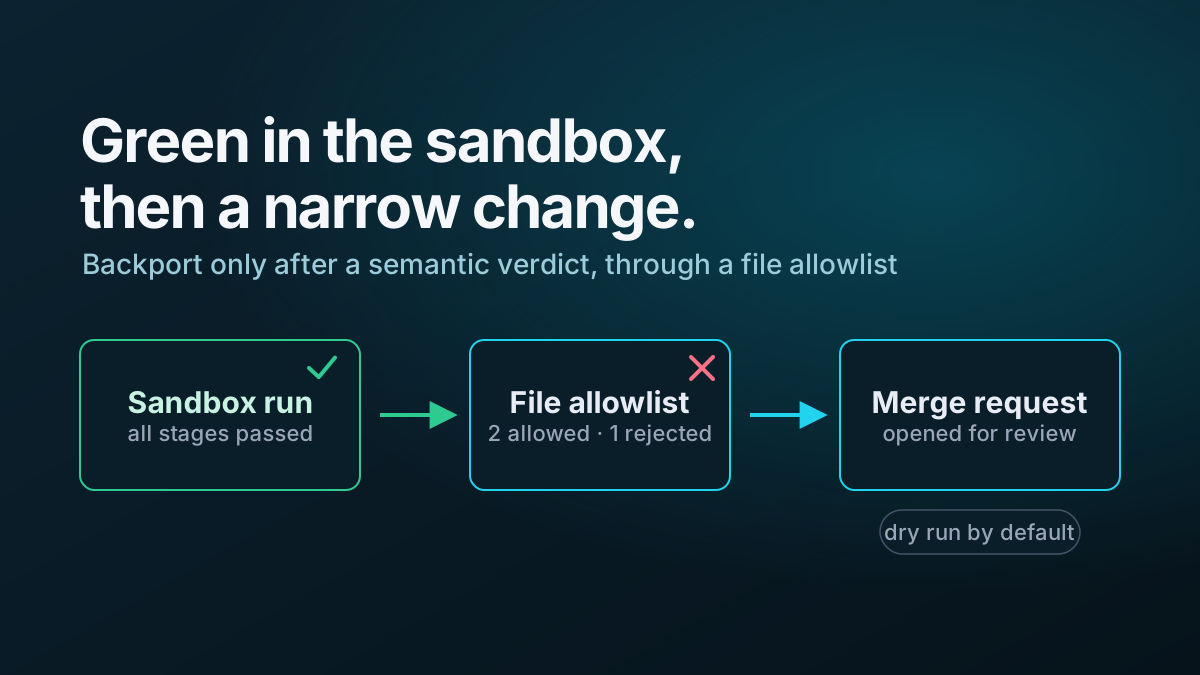
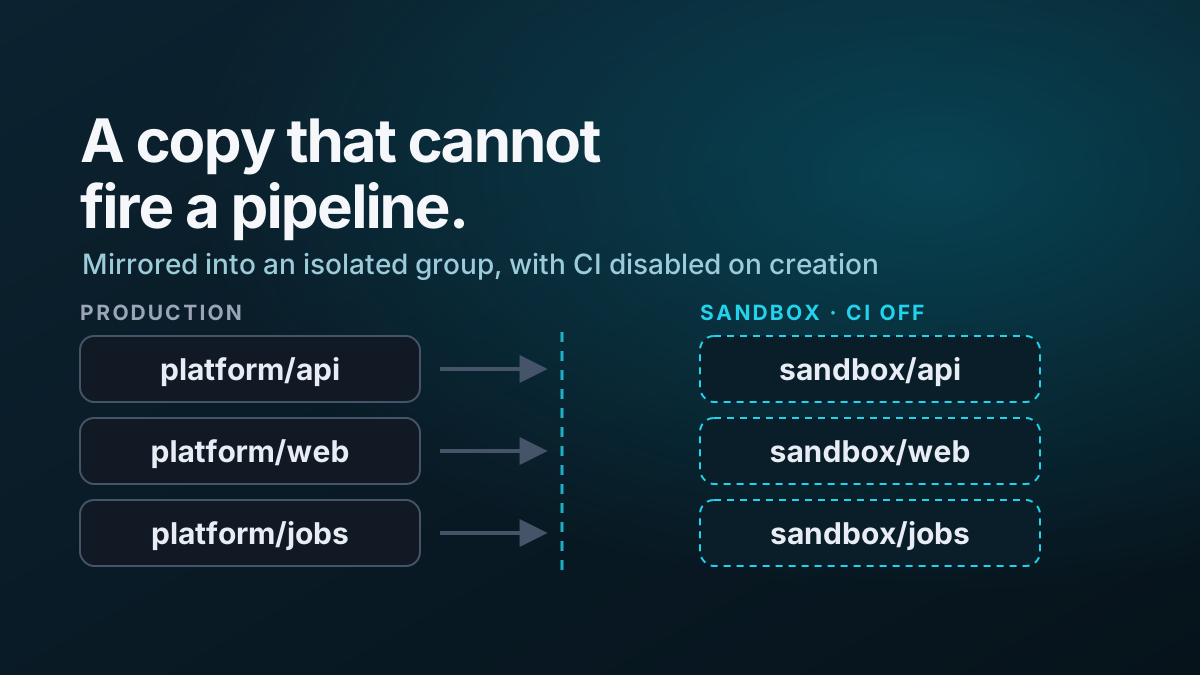
The write-capable sandbox tooling came later and used a different workflow with explicit guardrails.
A compact execution pattern
From the repository root containing the audit script:
$env:GITLAB_TOKEN = '<token supplied to the current session>'

.\Get-GitLabCiAudit.ps1 `
    -GitLabUrl 'https://gitlab.example.com' `
    -Group 'platform/automation' `
    -OutputDirectory '.\ci-audit'

Compress-Archive `
    -Path '.\ci-audit' `
    -DestinationPath '.\ci-audit.zip' `
    -Force
Do not store the token in the script, command history or resulting archive.
What the audit changed
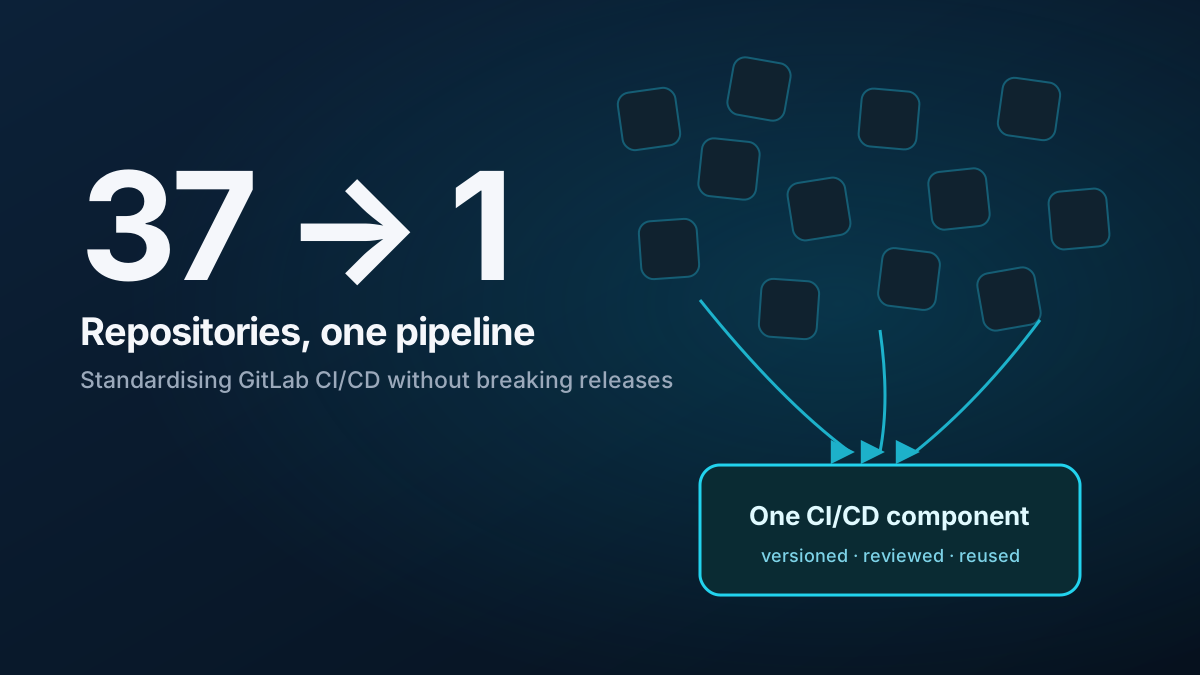
The audit converted an anecdotal problem into an estate-level decision.
Instead of asking which repository should receive the same one-line fix, I could see:
- the complete blast radius;
- the template that would recreate the issue;
- the existing shared component that represented the target state;
- the repositories that needed only an immediate pin;
- the repositories that needed a different component because their deployment model was unusual;
- the controls required to stop the same drift recurring.
The next step was to build a sandbox where those changes could be tested safely, instead of bulk-editing production.
Read the next article: Building a safe GitLab CI sandbox for multi-repository changes.
The complete case study is in How I standardised CI/CD across 37 GitLab repositories.