This project provides a small management application for adding approved domains to Cloudflare Gateway lists without giving every operator broad dashboard access.
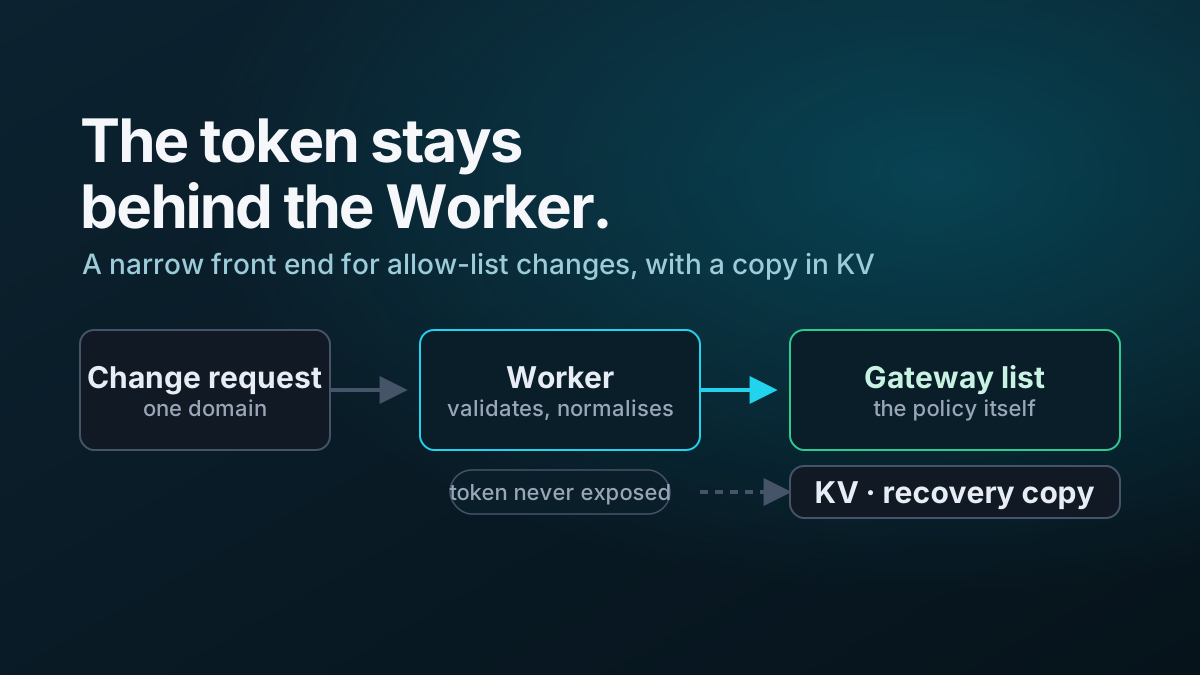
The Worker validates input, updates configured DNS and/or HTTP lists through the Cloudflare API, and keeps a backup representation in Workers KV.
Architecture
Operator
   ↓
Cloudflare Access
   ↓
Worker UI / API
   ↓
Validation and list selection
   ├────────→ Gateway DNS list
   ├────────→ Gateway HTTP list
   └────────→ Workers KV backup
The Cloudflare API token remains server-side as a Worker secret.
Supported workflow
The interface supports a deliberately small task:
- enter a domain;
- choose whether it belongs in the DNS list, HTTP list or both;
- validate and submit;
- confirm the result.
The application does not attempt to reproduce the full Zero Trust dashboard.
Input validation
Before any Cloudflare API call, the Worker normalizes and validates the supplied value.
The project checks for malformed domain input, prevents unsupported formats from being written to the list, and returns structured errors to the UI.
That is important because this application changes an enforcement input rather than merely storing user content.
Multi-list support
The Worker can target separate configured list IDs for DNS and HTTP policy.
That allows one UI to support:
DNS only
HTTP only
both lists
without exposing Cloudflare list identifiers to the operator.
Workers KV backup
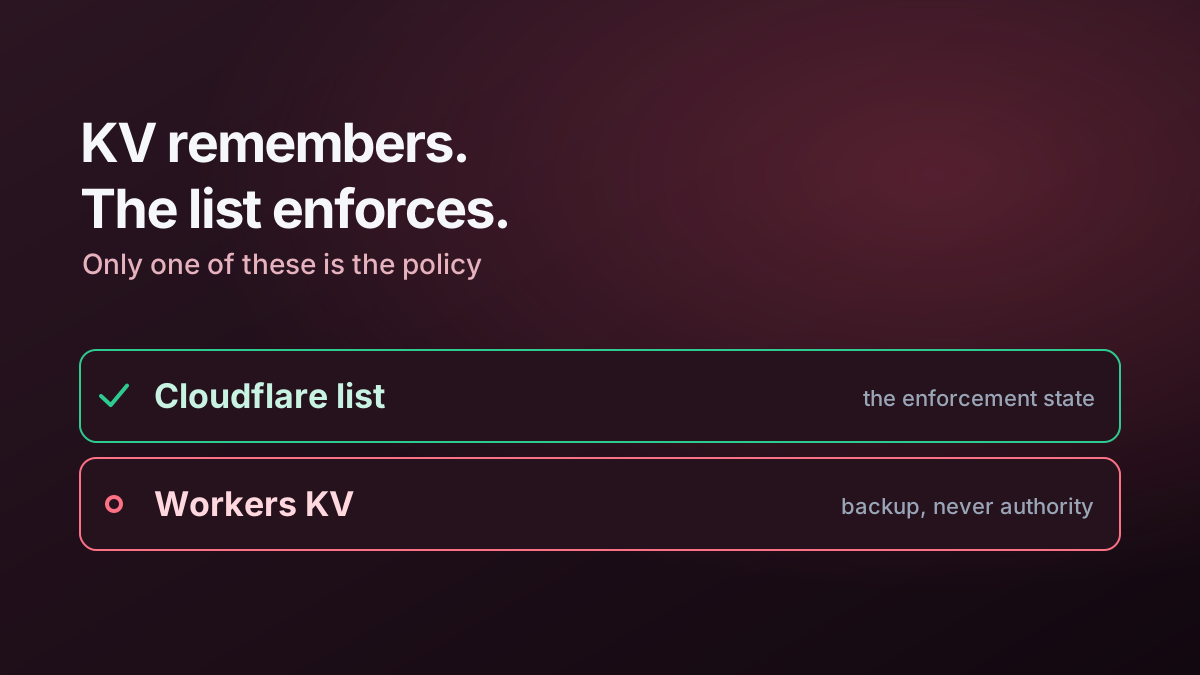
The project uses KV to maintain backup/synchronization metadata for each managed list.
Cloudflare Gateway remains the enforcement source of truth; KV exists to provide recovery and visibility.
The Worker can initialize or refresh its KV data from the deployed Cloudflare lists when synchronization is missing or stale.
Security controls
The project includes:
- Cloudflare Access protection for the human-facing application;
- API token stored as a Worker secret;
- server-side validation;
- CORS allow-listing;
- rate limiting/throttling controls;
- structured error handling;
- security headers;
- no client-side exposure of account/list credentials.
Responsive administration
The interface is designed to work on mobile as well as desktop because the workflow is intentionally narrow enough to be safely usable from either.
Deployment outline
The repository includes Wrangler configuration and example environment settings.
Typical commands are:
npm install
npm run typecheck
npx wrangler deploy
The Worker is then placed behind a Cloudflare Access application and the Cloudflare API token is supplied as a secret.
Related article
See Managing Cloudflare Zero Trust Allow Lists with Workers and KV for the design reasoning behind the implementation.